MCO Home Touch Panel Switch (One button)
Description
Z-Wave MCO Touch Panel Switch Gen5 is a smarter and better way to make your home comfortable and organized. The touch-sensitive smart switch that lets you take remote control of connected Z-Wave devices in your home automation network and allows you to monitor their status through your Z-Wave controller. It's designed to work with lighting devices, fans, or any other Z-Wave certified device that requires less than 5A. The relay can switch a load with up to 1,100 watts.
With the new function of the scene control now you are able to start your configured scenes with only one touch.
Control Z-Wave devices wirelessly
Z-Wave MCO Touch Panel Switch can be configured to wirelessly Z-Wave devices in your home automation system. The connected Single-Load switch can be configured to switch up to five nodes or terminals, and can also be used to monitor the state of the connected devices.
Designed for Lighting Devices
MCO Touch Panel switch has been designed to work with connected smart lighting appliances like bulbs, CFLs, ballasts, motors or fans.
Easy Installation
Z-Wave MCO Touch Panel can be conveniently installed onto the junction box with just two screws.
Features
- Wall switch with one integrated relay that handles max load of 5A
- Supported Load types: Incandescent, Fluorescent, Ballast, Motor, CFL
- Flush-mounted in 86 x 86mm square UK junction box
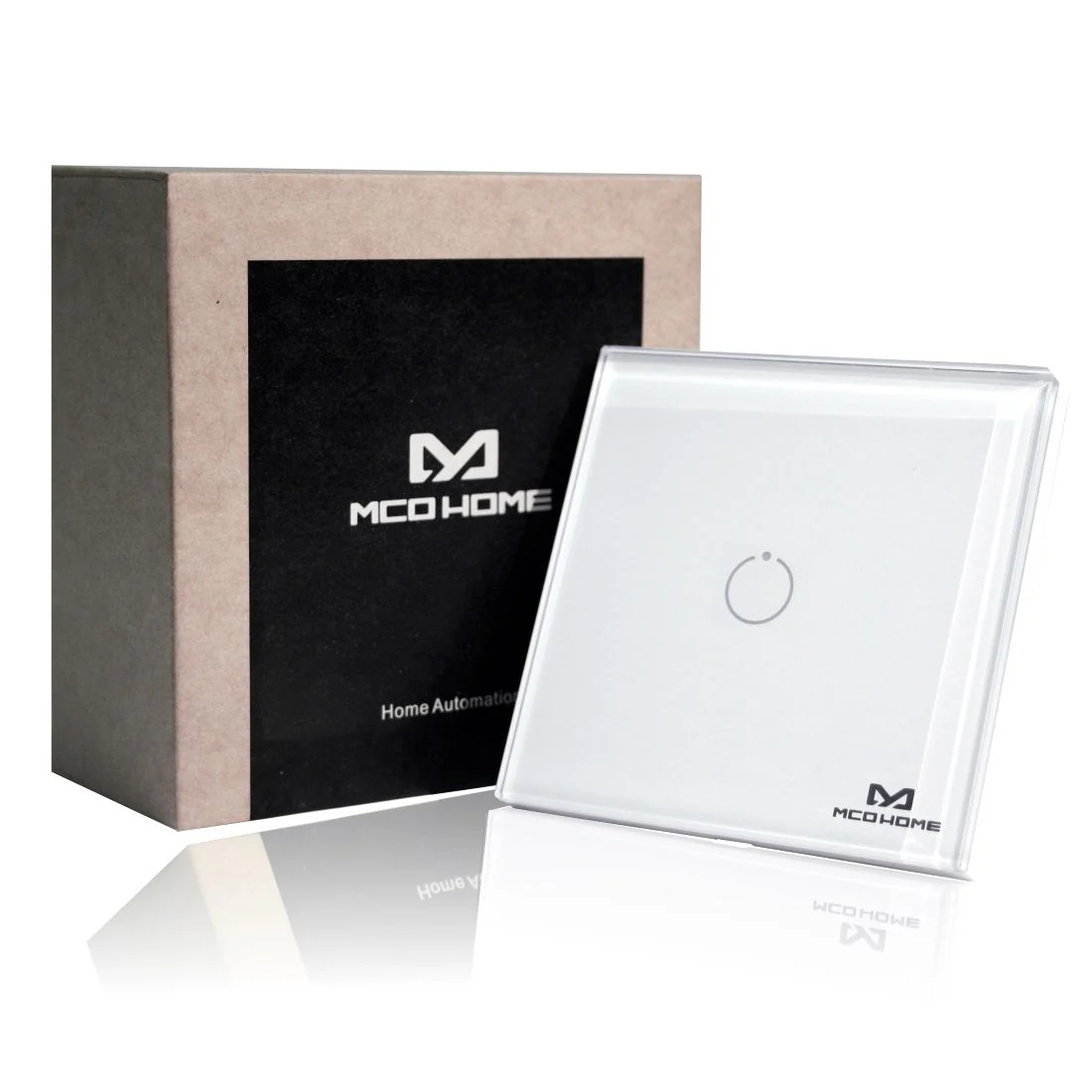
- Stylish glass touch switch (one button) with integrated LED
- Ready-to-fit, incl. glass frame to replace complete wall switch
- For 3-wire systems, neutral needed
- Wireless Technology: Z-Wave
- Dimensions: 86x86x39 mm
- Power supply: AC220V, 50Hz
- IP Class: IP 20
Manuals
Z-Wave MCO Home Touch Panel Switches 310 Series User Manual (Size: 382 KB)Product Information
Product Information
Shipping & Returns
Shipping & Returns
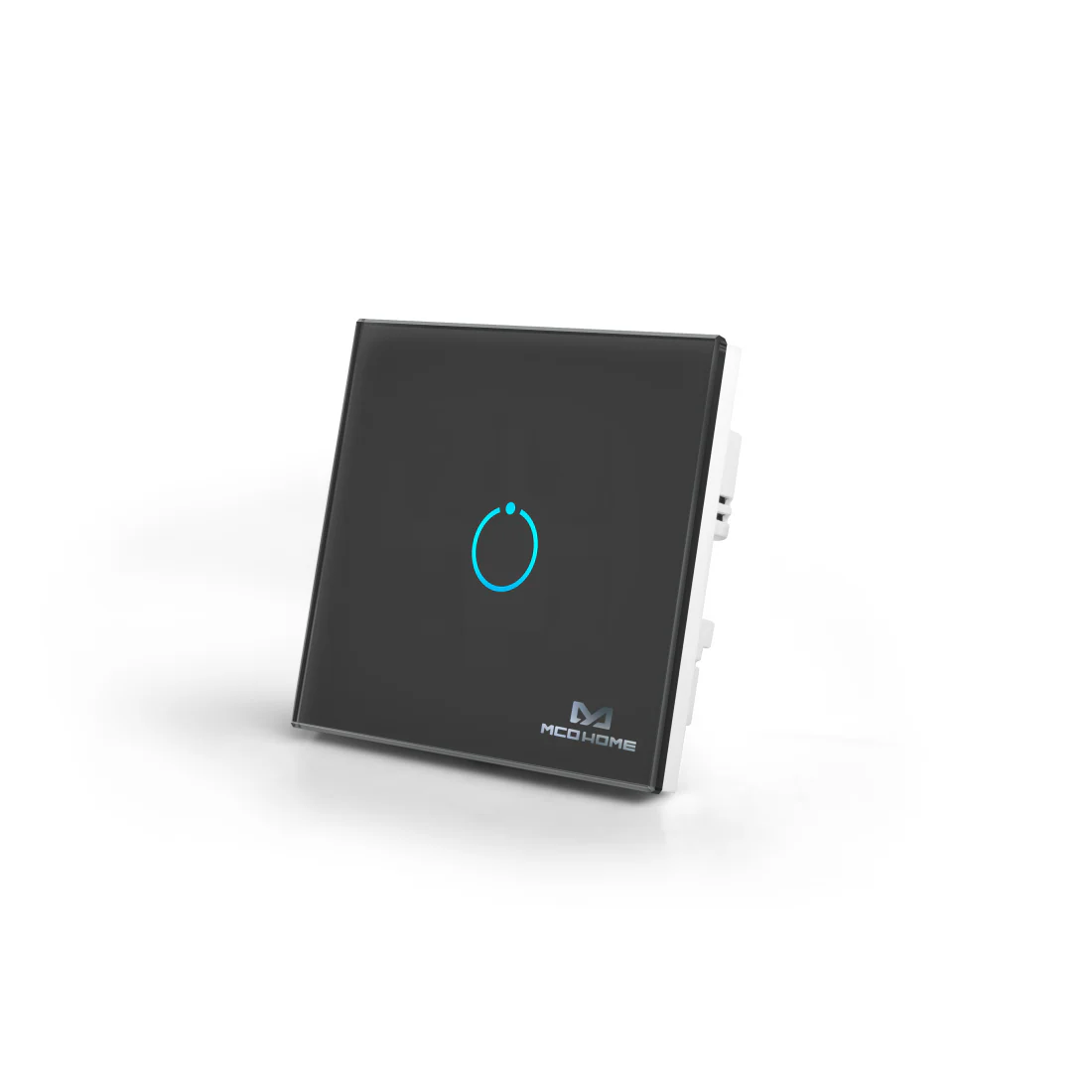

MCO Home Touch Panel Switch (One button)
MCO Home Touch Panel Switch (One button)
Description
Z-Wave MCO Touch Panel Switch Gen5 is a smarter and better way to make your home comfortable and organized. The touch-sensitive smart switch that lets you take remote control of connected Z-Wave devices in your home automation network and allows you to monitor their status through your Z-Wave controller. It's designed to work with lighting devices, fans, or any other Z-Wave certified device that requires less than 5A. The relay can switch a load with up to 1,100 watts.
With the new function of the scene control now you are able to start your configured scenes with only one touch.
Control Z-Wave devices wirelessly
Z-Wave MCO Touch Panel Switch can be configured to wirelessly Z-Wave devices in your home automation system. The connected Single-Load switch can be configured to switch up to five nodes or terminals, and can also be used to monitor the state of the connected devices.
Designed for Lighting Devices
MCO Touch Panel switch has been designed to work with connected smart lighting appliances like bulbs, CFLs, ballasts, motors or fans.
Easy Installation
Z-Wave MCO Touch Panel can be conveniently installed onto the junction box with just two screws.
Features
- Wall switch with one integrated relay that handles max load of 5A
- Supported Load types: Incandescent, Fluorescent, Ballast, Motor, CFL
- Flush-mounted in 86 x 86mm square UK junction box
- Stylish glass touch switch (one button) with integrated LED
- Ready-to-fit, incl. glass frame to replace complete wall switch
- For 3-wire systems, neutral needed
- Wireless Technology: Z-Wave
- Dimensions: 86x86x39 mm
- Power supply: AC220V, 50Hz
- IP Class: IP 20
Manuals
Z-Wave MCO Home Touch Panel Switches 310 Series User Manual (Size: 382 KB)Original: $130.00
-70%$130.00
$39.00Product Information
Product Information
Shipping & Returns
Shipping & Returns
Description
Description
Z-Wave MCO Touch Panel Switch Gen5 is a smarter and better way to make your home comfortable and organized. The touch-sensitive smart switch that lets you take remote control of connected Z-Wave devices in your home automation network and allows you to monitor their status through your Z-Wave controller. It's designed to work with lighting devices, fans, or any other Z-Wave certified device that requires less than 5A. The relay can switch a load with up to 1,100 watts.
With the new function of the scene control now you are able to start your configured scenes with only one touch.
Control Z-Wave devices wirelessly
Z-Wave MCO Touch Panel Switch can be configured to wirelessly Z-Wave devices in your home automation system. The connected Single-Load switch can be configured to switch up to five nodes or terminals, and can also be used to monitor the state of the connected devices.
Designed for Lighting Devices
MCO Touch Panel switch has been designed to work with connected smart lighting appliances like bulbs, CFLs, ballasts, motors or fans.
Easy Installation
Z-Wave MCO Touch Panel can be conveniently installed onto the junction box with just two screws.
Features
- Wall switch with one integrated relay that handles max load of 5A
- Supported Load types: Incandescent, Fluorescent, Ballast, Motor, CFL
- Flush-mounted in 86 x 86mm square UK junction box
- Stylish glass touch switch (one button) with integrated LED
- Ready-to-fit, incl. glass frame to replace complete wall switch
- For 3-wire systems, neutral needed
- Wireless Technology: Z-Wave
- Dimensions: 86x86x39 mm
- Power supply: AC220V, 50Hz
- IP Class: IP 20